無線會議系統 Wireless Conference System (WCS)

無線翻轉傳統會議流程,4K 高畫質、一鍵切換分享、四分割同屏顯示,打造穩定流暢的高效率會議體驗。

了解產品特色
Wireless Conference System Overview

產品特色

Key Features

無線視訊會議

Video conference meeting become wireless style transmission, no more cable hassle.
遠端同步畫面

Synchronize data to main screen for better efficiency of remote meeting.

無線麥克風

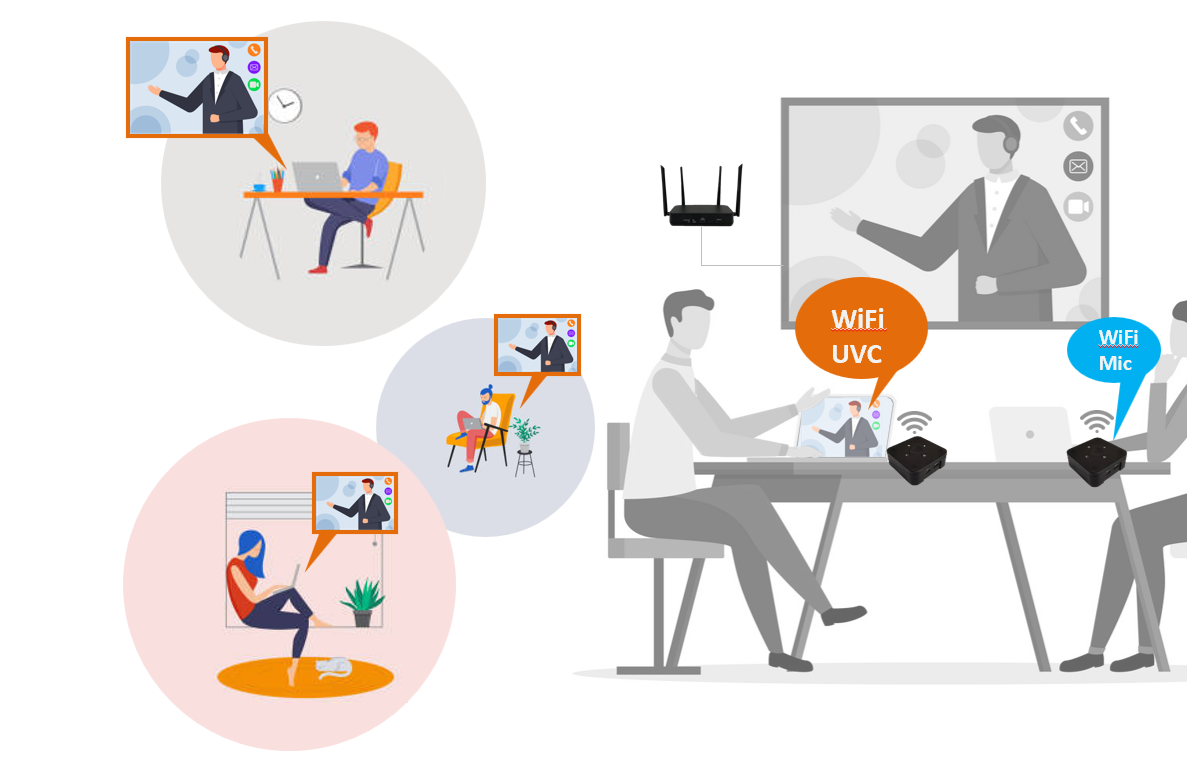
Built-in wireless microphone in transmitter (WCS-4000t) for clear voice pickup.

一鍵分享 4K

One push button to share 4K high-quality content, switch in seconds.

四分割同屏

Four-section division screen — display multiple presentations on one big screen.

多裝置相容

Supports mainstream media devices — ChromeCast, Apple TV, phones and tablets.
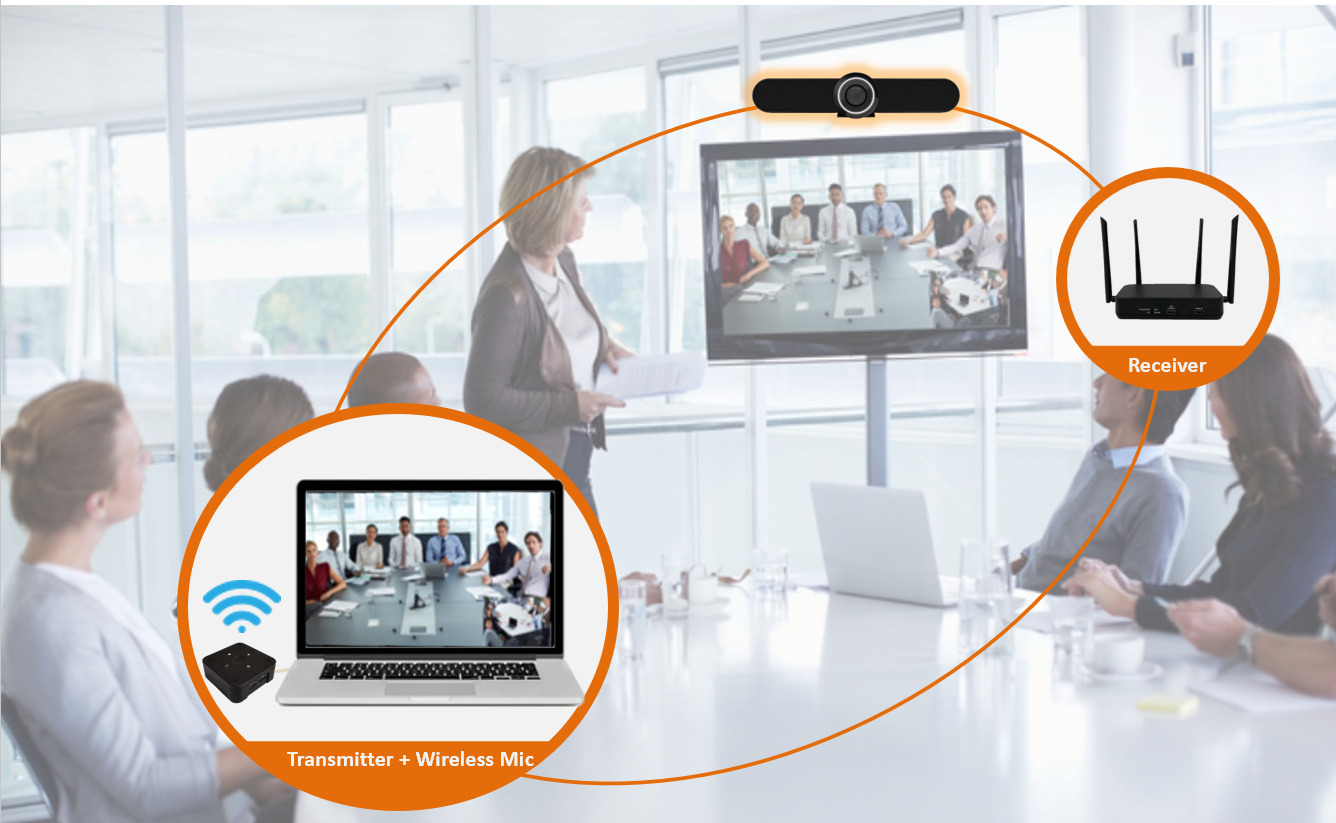
Wireless Conference Meeting
Feature 01

Video Conference Meeting Become Wireless Style Transmission

  • Traditional wire-connected style meeting might have many technical issues before or between the meeting.
  • People always try to connect the HDMI cable to their notebook computer, but the signal does not show up immediately.
  • Wireless transmission solves this issue: participants just walk into the meeting room and all the peripherals are already set up and ready to use.
Synchronize Data to Main Screen
Feature 02

Synchronize Data to Main Screen for Better Remote Meeting Efficiency

We use a webcam device to capture meeting participant video via UVC (USB Video Class). Then, we transmit the video through wireless transmission to the remote site so that remote participants can see the local participants.

When local participants want to share their PowerPoint presentation, the system also captures the presentation and sends it to remote sites — keeping every site fully synchronized in real time.
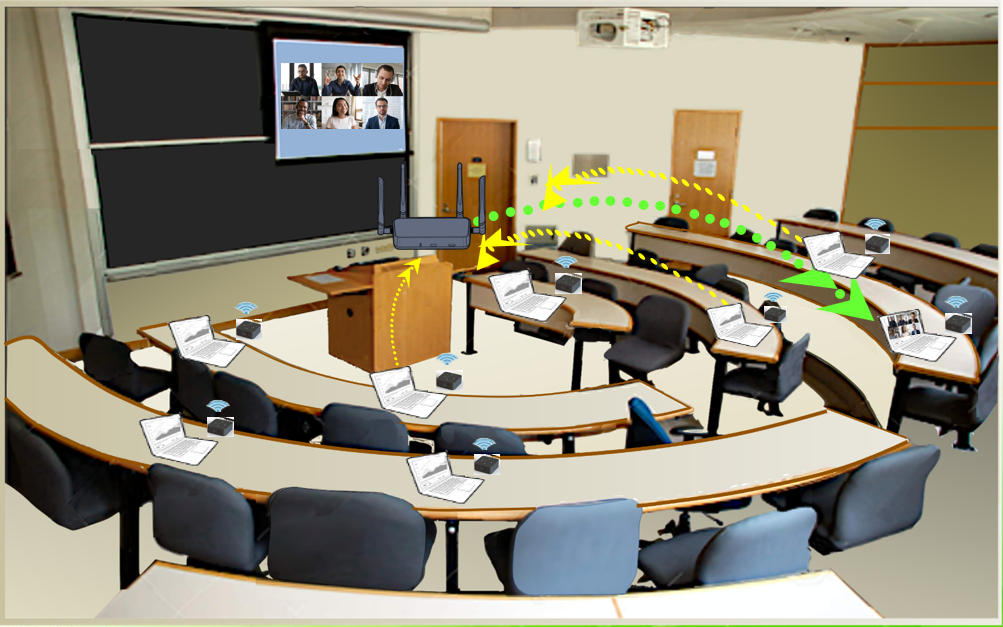
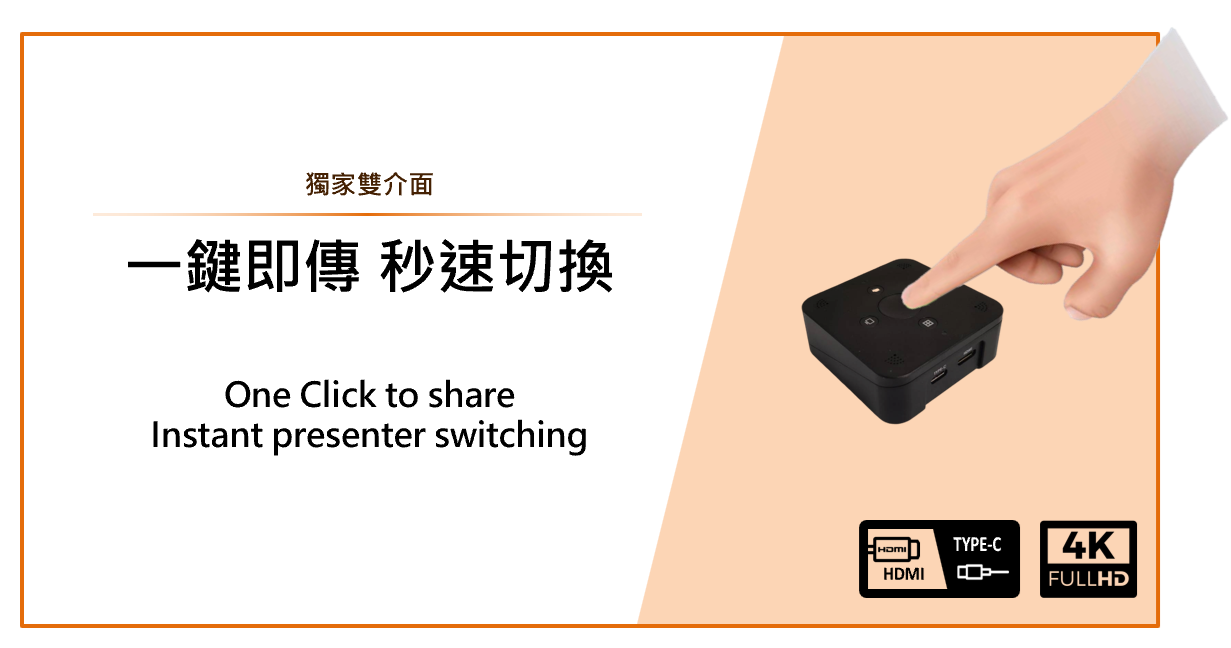
Wireless Microphone in WCS-4000t
Feature 03

Wireless Microphone Built into the Transmitter (WCS-4000t)

  • Each Tx (WCS-4000t) has a push button for sharing your own PowerPoint presentation, and it also picks up your voice.
  • When the meeting gets bigger, the system still delivers very good voice reception response, ensuring every participant is clearly heard.
One Push Button to Share 4K Content
Feature 04

One Push Button to Click and Share 4K High-Quality Content, Switch in Seconds

  • Supports 4K 3840×2160 high-quality resolution with a unique standard HDMI / USB Type-C dual connector — no software install required, just plug and play.
  • Push the transmission button and your PowerPoint presentation is sent to the meeting screen for everyone to see.
  • When another participant needs to share, they simply push their own button — the screen instantly switches to the new content.
  • This eliminates the traditional, complex process of unplugging the first participant's HDMI connector and re-plugging it for the next participant.
Four Section Division Screen
Feature 05

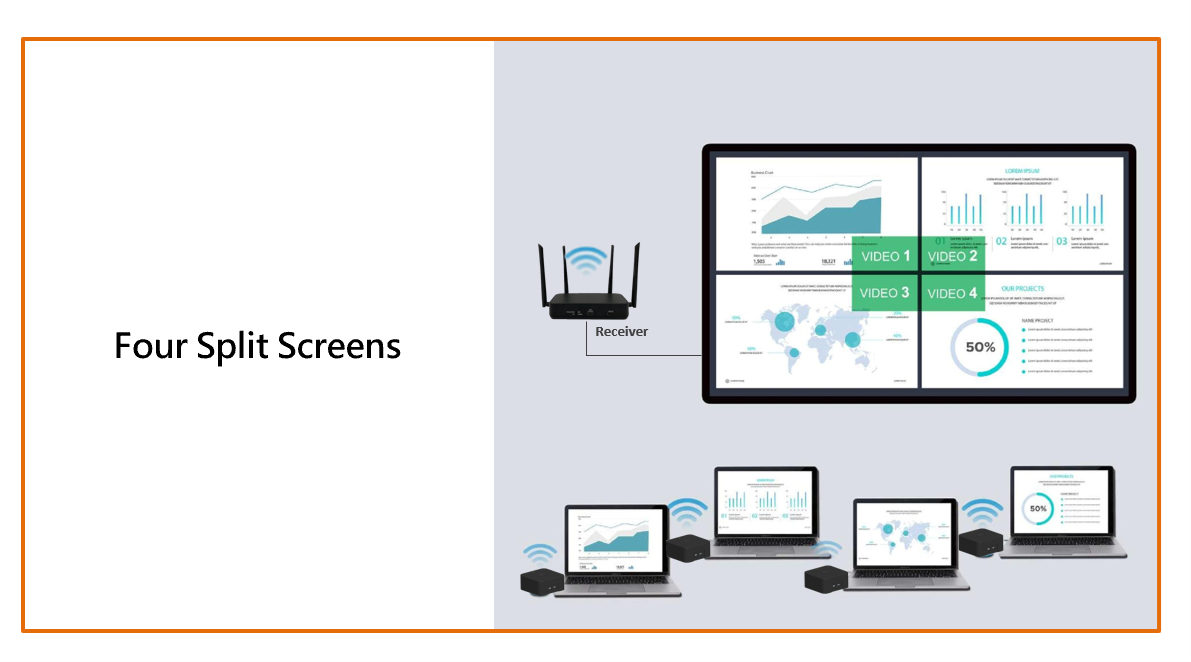
Four-Section Division Screen — Show Important Material Together on One Big Screen

  • No setup required — just push the transfer button and meeting material is shown on screen in order.
  • When the 2nd participant pushes the button, their meeting material overlays the first participant's material.
  • The system supports 4-section division, so important meeting material can be shown at the same time on one big screen.
  • This feature speeds up the meeting discussion process significantly.
Support Mainstream Media Devices
Feature 06

Support Mainstream Media Devices for a More Diverse Wireless Presentation

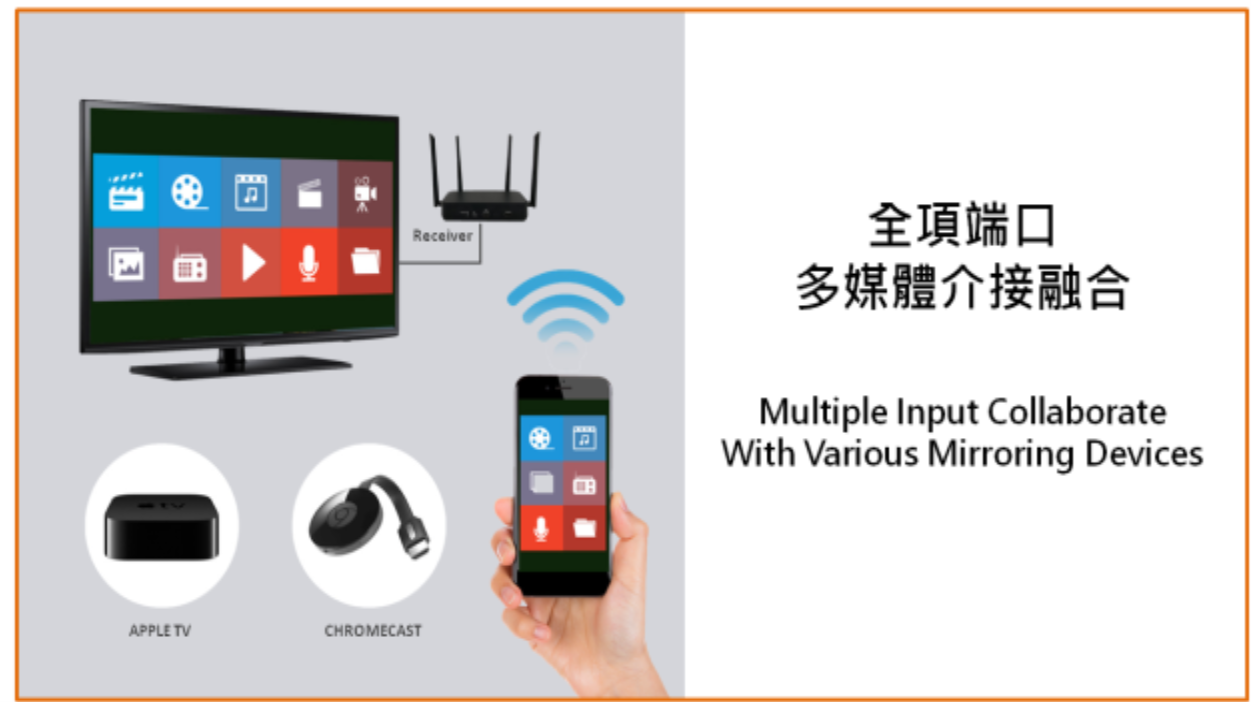
  • Supports USB power supply and HDMI dongle connector — works with ChromeCast and Apple TV applications.
  • Not only general notebook computers, but also cell phones and tablets can use this method for wireless meeting-material presentation.

想了解更多 WCS 系統?

歡迎與我們聯繫,提供最適合您的無線會議解決方案。

聯絡我們